It’s 2026, and there is no shortage of things to distract us.
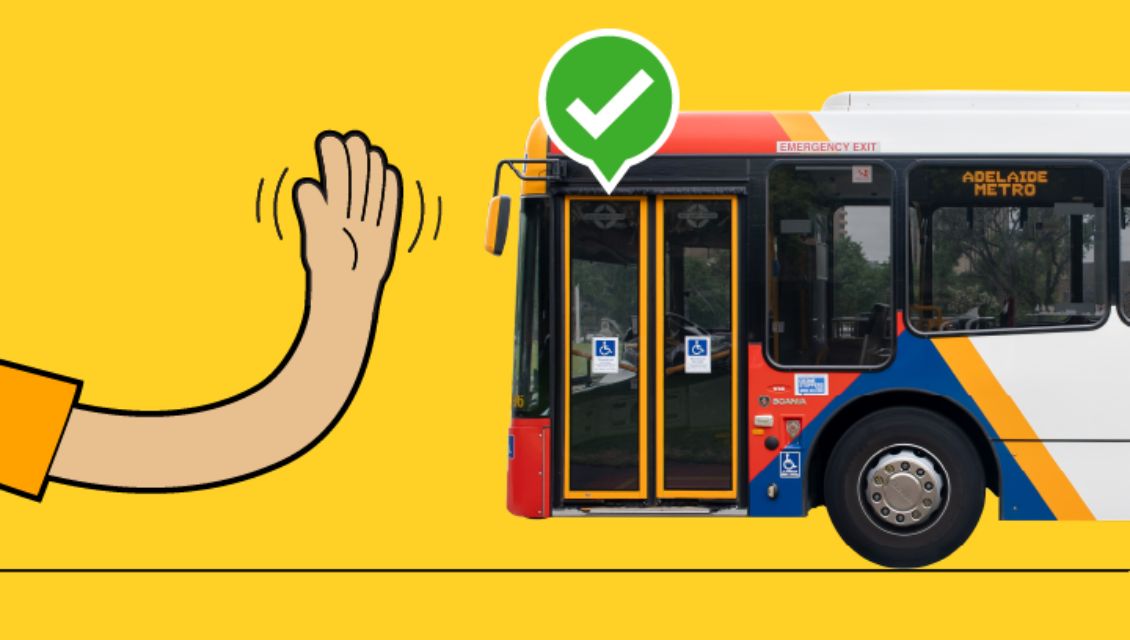
And while we’re waiting at the bus stop listening to our favourite podcast or catching up on the weekend’s scores, it can be easy to forget to stick that hand out and let the bus driver know that you’re keen to get on.
Adelaide Metro point out that some services may not stop unless signalled, so hailing the bus is important to get you to your destination.
How to hail the bus
Stand at your stop and when you see your bus approaching, raise one hand in the air like you’re waving. Keep your hand raised until you see your bus slow down and approach your stop.
Most stops are serviced by multiple routes, meaning some buses won’t stop unless you hail
Buses aren’t always required to stop because many stops around Adelaide are serviced by multiple routes. Hailing your bus will indicate to the driver that you are waiting for their service.
Hail the bus as early as you can
We can all get distracted or forget to hail, but hailing late can make it hard for drivers to see you. Drivers will always approach stops with caution, but a late hail can make it harder for buses to stop.
Waiting at or near a stop doesn’t mean your bus will stop
Drivers need an indicator that their service is the right one for you. They also need to be able to see you. Standing close by to your stop without hailing or sitting at a bus shelter and hailing isn’t very clear for the driver.
And while they have your attention, Adelaide Metro would also like to remind passengers that smart validators can detect multiple ticket options at once, including metroCARD, Seniors Card, bank cards, digital wallets and Buy & Go app tickets.
If you give a validator more than one ticket option, it may choose a card or device the passenger didn’t mean to use.
This is known as card clash, and it can result in an accidental payment.
To avoid an accidental payment:
- only tap one card or device
- take out your card or device before you tap
- keep smart watches away from the validator unless you are using them to pay
- tap the same card or device for your whole journey.
Use Buy & Go?
Before you scan your Buy & Go app ticket:
- make sure your digital wallet is not active
- separate your phone from any cards stored in your phone case.
Need help?
If you think you have been accidentally charged using the wrong card or device, contact Adelaide Metro (external site) (external site) for help.
MORE STORIES LIKE THIS